


9 discounting safeguards to prevent coupon abuse and protect Shopify profit margins

Big-box retailers can afford to regularly offer generic discount codes. Many Shopify merchants don’t have the same luxury.
But when you choose the right parameters for your Shopify discount, you can entice customers and boost sales without giving away too much and damaging margins.
Tap into the following nine discounting safeguard tips to walk the tightrope more securely.
This article is part of Seguno’s Shopify Discount Strategy Series, which covers discount types, safeguards, unique codes and promotion strategy.
Tip 1: Require a minimum purchase
Requiring a minimum spend will turn away some shoppers — and that’s OK. Minimum order thresholds add friction by design, trading some conversions for higher average order values (AOV).
This approach is ideal for all promotional pricing strategies, but works exceptionally well when paired with free shipping. Set a spending amount that offsets shipping costs.
Otherwise, a general rule of thumb for determining a spending threshold is to calculate your AOV and add 30%.
“Our non-negotiable safeguard is minimum spend thresholds tied to margin modeling. Every discount is calculated against contribution margin, not just revenue,” says Dario Markovic, CEO of Eric Javits. “For a luxury brand like ours, protecting perceived value is just as important as protecting margin.”
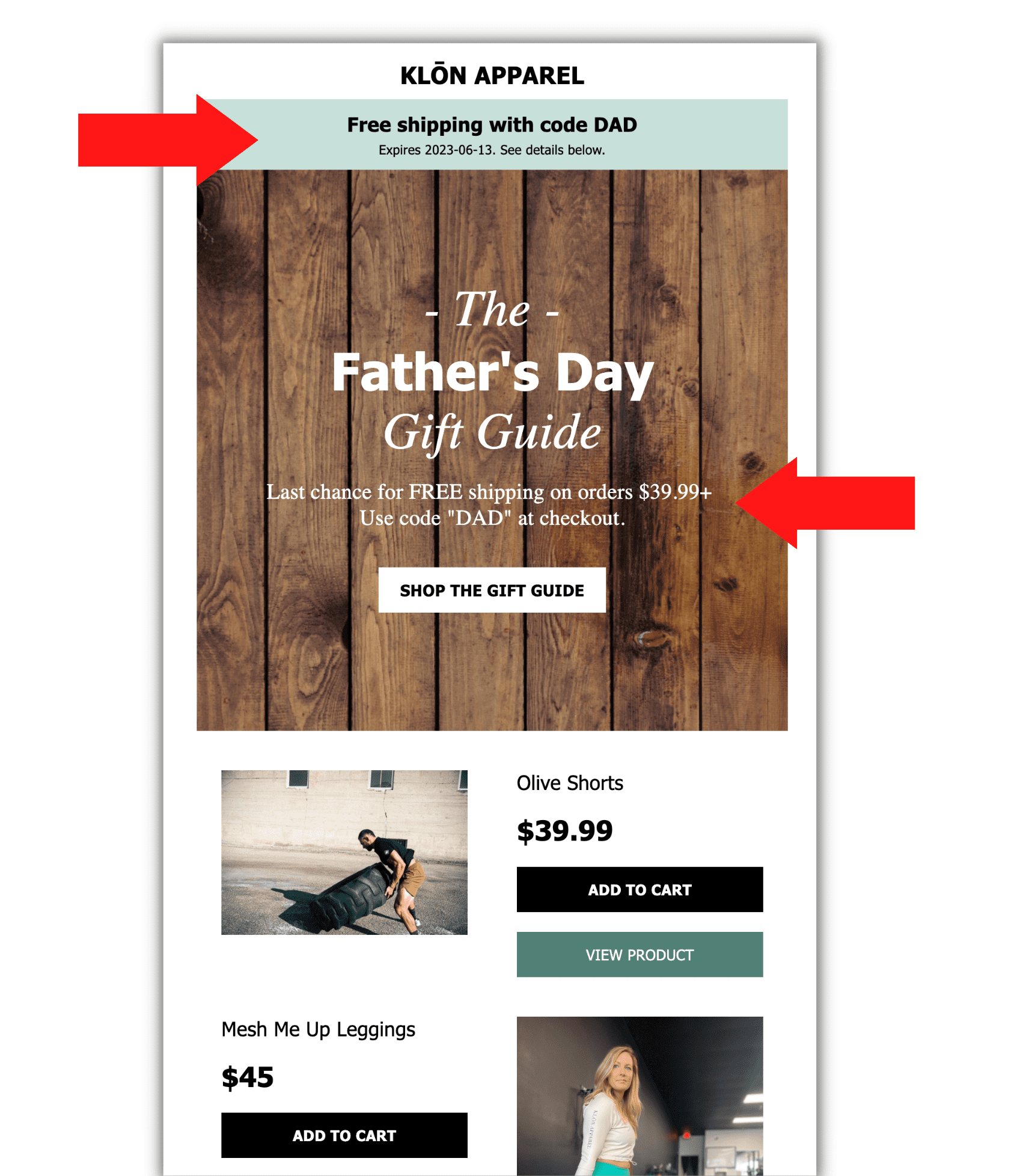
for its ‘free shipping’ Shopify discount
Tip 2: Set usage limits
We analyzed 117 million Shopify discounts for risk factors and found that one-third don’t limit the number of times the code can be redeemed.
Codes that can be used endlessly are ripe for sharing and easy targets of coupon-sharing sites like RetailMeNot or Honey.
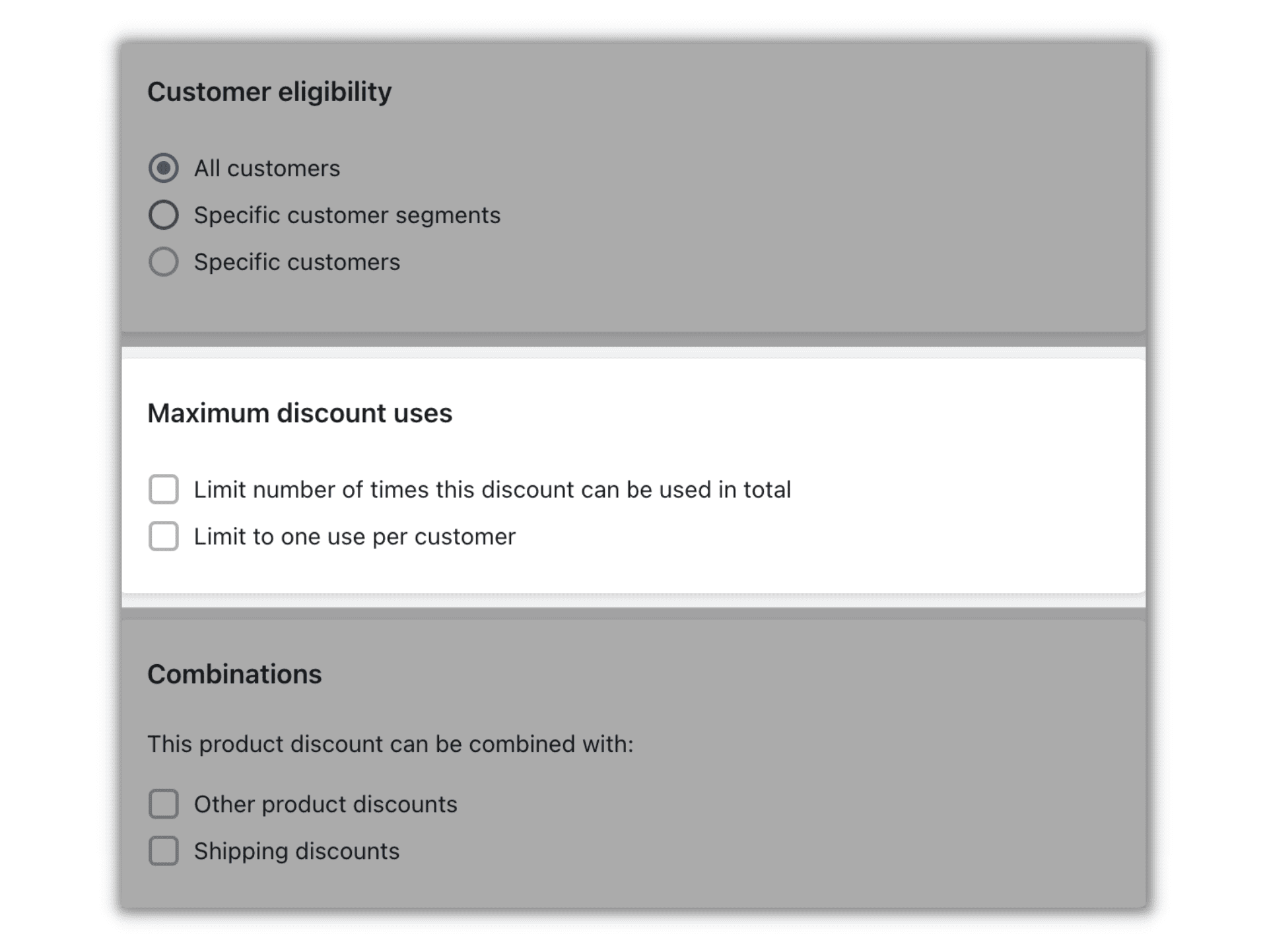
Put guardrails on usage, and a leak will be less catastrophic. You can either restrict Shopify discount usage to a total number, limit it to one use per customer, or do both. It’s important to clearly communicate eligibility rules for whichever path you choose.
Tip 3: Send discount codes to segments and limit sitewide campaigns
Brands that are hyper-focused on discount efficiency keep sitewide sales to a minimum and rely on segmentation to promote discount codes.
Sending coupon codes to select groups — based on behaviors or identifiable traits — provides some control so you’re not giving your best deals away to low-intent shoppers or customers who would have purchased anyway.
Plus, the overall practice of segment-based marketing can have far-reaching effects:
- Academic research confirms that targeted campaigns yield higher conversion rates, and personalized offers are most effective in engaging high-value segments.
- Seguno's 2026 Shopify Discount Code Benchmark Report found segmented codes correlated with a 50% to 68% AOV lift. And yet, 96% of discount sets in the data weren't limited to a segment.
See how Caddis Eye Appliances uses segmentation, customer lifecycles, and a margin-smart discounting framework to build profitable promotions.
Tip 4: Use unique coupon codes
Unique discount codes take usage limits to the next level. In our book, they’re the No. 1 best practice for preventing coupon abuse and personalizing promos.
They’re trusted by larger brands, too. According to our Unique Discount Benchmarking Report, those with a GMV of $20 million or more use unique coupons much more frequently than all other tiers.
Think of unique discount codes as the fingerprint of couponing. A randomized alphanumeric string — opposed to a blanket, generic code — means no two codes are alike. Unique discounts ensure the code is valid for one-time use by a single person.

Unique codes aren’t just for preventing leaks. They also enhance attribution and enable better discount performance analysis.
Merchants using Seguno Email can create unique codes directly in Shopify’s admin and seamlessly distribute them via email. Otherwise, Shopify merchants can generate unlimited unique discount codes with Seguno’s Bulk Discount Code Bot and upload them to any marketing channel.
Bonus: Detect which of your Shopify discounts are at risk with our Discount Risk Audit. Access it by signing up for a free trial of Bulk Discount Code Bot.
Tip 5: Schedule a discount expiry
Our Shopify discount analysis shows that 90% of discounts don’t have an expiration date. On average, they’re 2.5 years old.
If you choose to do nothing else, assign an end date for your Shopify discounts. Restricting the timeframe narrows the window for coupons to spread and provides a better handle on code management.
Nicky Zhu, an AI interaction product manager at Dymesty who has also advised Shopify brands, has experienced the cost of so-called forever codes. “A code for a ‘launch week’ that hit the 11-month mark was posted for everyone to see on RetailMeNot. Unit we caught it, the margin bleed was staggering.”
Discount expirations can motivate, too. Research on time-limited promos indicates consumers perceive them as being valuable and credible.
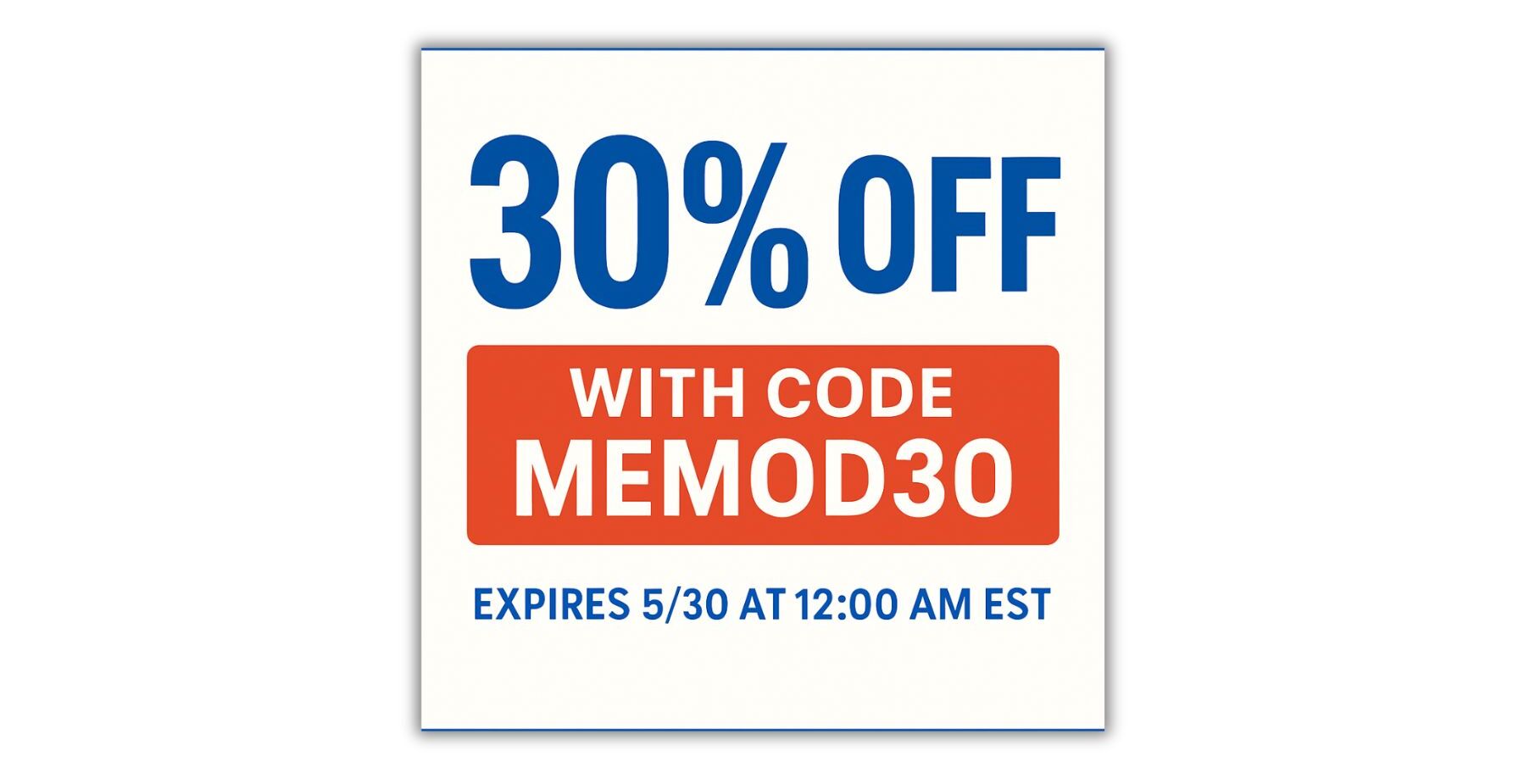
Tips for creating and reinforcing the expiration:
- Clearly state the time and date it expires, and clarify the time zone.
- Amplify urgency by using countdown timers and last-chance messages in your marketing.
Tip 6: Be strategic with products and product collections
Our data indicates that 73% of Shopify discounts can be used for all products and collections. Opening your entire catalog up to the discount can quickly diminish profit margins.
Instead, limit the “amount off products” discount to specific products and product collections.
Katie Breaker, sales director at BirdieBall Golf, excludes high-end putting greens from sitewide sales, “as it already sells itself. We maintained a net profitability in our last mega-push by maintaining those lines.”
Some tips, per McKinsey & Company insights:
- Avoid marking down the high performers, as they’re already selling well.
- Reduce low-performing products instead.
- Toss a bone with the occasional discount on higher-priced premium products.

Tip 7: Implement different discounting safeguards for percentage vs fixed amount
Let’s assume you sell higher-priced items and require a minimum spend of $150 before a discount applies.
At first glance, 10% off seems reasonable — it’s a $15 savings when hitting the threshold. But as cart size increases, so does the discount cost. A $200 order turns that same offer into a $20 discount, even though the customer didn’t need additional incentive.
Alternatively, a flat $15 discount delivers the same value at the threshold while keeping your costs predictable.
Here’s general protective guidance for percentage vs fixed amount:
- Percentage discounts: cap the maximum discount amount to prevent larger carts from receiving disproportionately large savings
- Fixed-amount discounts: implement a minimum order threshold to ensure higher spend
Tip 8: Select free/discounted products wisely for Buy X get Y
The Buy X get Y discount isn’t just for BOGO promotions. Used strategically, it can increase perceived value without eroding margins.
Instead of offering two identical products, profitability-focused merchants often pair a high-value product with a lower-cost, complementary item. It feels generous to the customer but has a minimal impact on profit.
Another effective approach is to reduce the second product at a steep discount rather than giving it away for free.

When choosing qualifying products, look for pairings that:
- Naturally complement each other
- Introduce customers to products they’re likely to reorder later
- Help move excess inventory without discounting your best sellers directly
Tip 9: Control discount combination privileges
If you’re offering multiple discounts simultaneously and want to prevent customers from stacking them, turn off all discount combinations in the discount settings as a default. You avoid mistakenly allowing massive discounting and, therefore, discount abuse.
Keep the following unchecked under the “Combinations” section:
- Product discounts
- Order discounts
- Shipping discounts
There may be times when you want to let customers stack discounts — and possibly leverage a Shopify discount app for advanced logic. Just make sure you’re intentional when enabling Shopify’s supported combinations.
Improve discount profitability with a mix of protections
Whether you’re running a sitewide sale or offering an exclusive discount code, add safeguards to prevent over-discounting.
Mix and match our tips for the right level of control:
- Require a minimum purchase
- Set usage limits
- Send discount codes to segments and limit sitewide campaigns
- Use unique coupon codes
- Schedule a discount expiry
- Be strategic with products and product collections
- Implement different discounting safeguards for percentage vs fixed amount
- Select free/discounted products wisely when using Buy X get Y
- Control discount combination privileges
Implement some of these protections, and we’re sure you’ll profit from using Shopify discounts.

create, manage, and track your email marketing—without leaving Shopify.
Seguno is the top-rated email solution built exclusively for Shopify. Grow your sales with high-performing newsletters, email automation campaigns, and integrations with Facebook, Instagram, banners, pop-ups and more. Build and send engaging emails in our easy-to-use editor and take email creation to the next level with our Canva integration. Automate your email marketing and drive more revenue with welcome campaigns, checkout abandonment, post-purchase automations, tag triggers and more.

get email marketing tips, resources, and industry insights to help your Shopify store grow.